Home safety checklist app
A Room-by-Room Safety Check,Minus the Clipboard.
For checking your home or a parent’s. Tap what you noticed, plan the fix, recheck in 30 days.
0 of 3 fixed. Drag across the hallway.
The short answer
What is RoomMend?
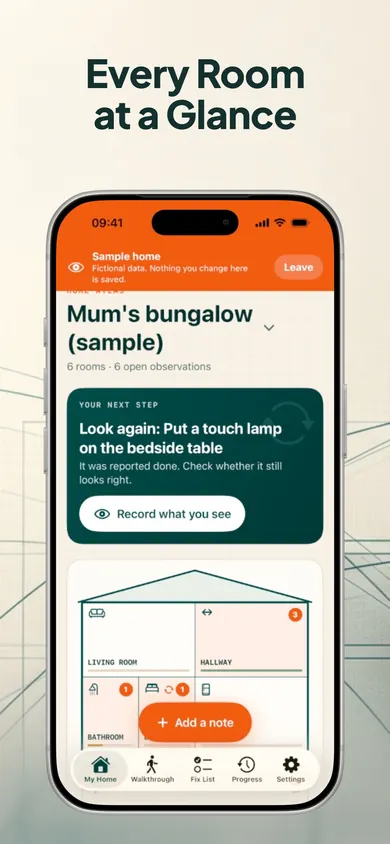
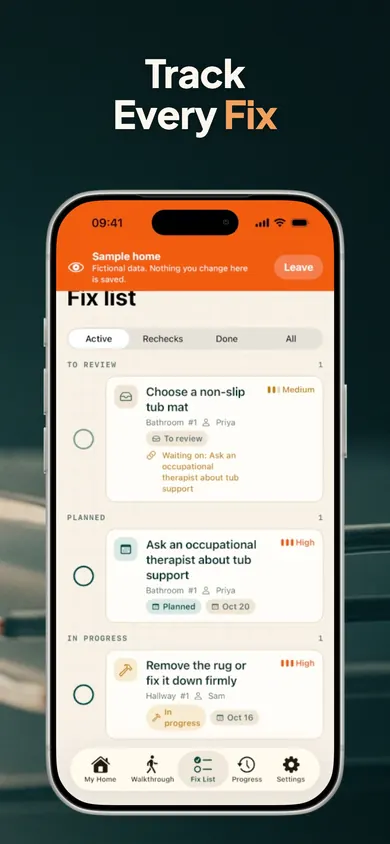
RoomMend is a free iPhone app for walking through a home room by room, noting what needs fixing, and tracking each fix until someone looks again. Pick your home type, tap an issue like Loose rug or Too dark, snap the spot, and it lands on your fix list.
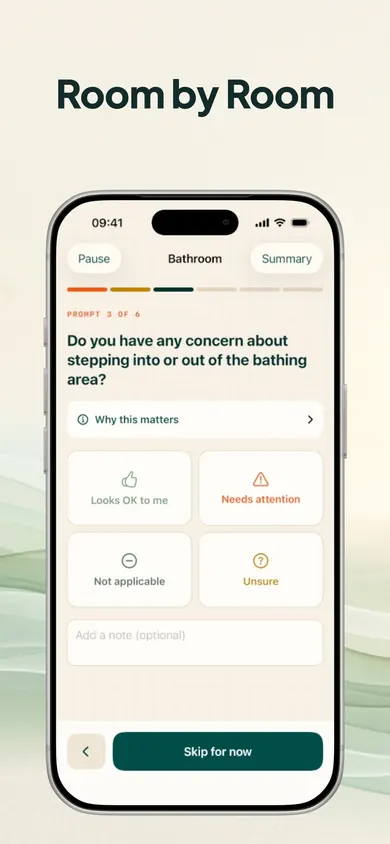
The CDC says that more than one out of four older people falls each year, but less than half tell their doctor (page reviewed September 2026). RoomMend’s walkthrough questions are based on public guidance from the CDC, the National Institute on Aging, NFPA and CPSC, and each question shows where it comes from.
This is general information, not medical advice. Talk to your clinician.
Dept. 01 · Honest limits
What RoomMend won’t do
- It won’t spot hazards for you. It doesn’t look inside your photos.
- “Reported completed” means someone said the work was done. RoomMend can’t verify it, which is why it asks you to look again.
- It isn’t an inspection, a safety certificate or a fall-risk assessment.
- Wiring, gas, structure, fire safety or mobility? Call a qualified professional.
Dept. 02 · How it works
Fall prevention checklist, in three steps
- 1
Set up in one step
Pick Apartment, One-floor house or Two-floor house and your rooms are ready. Rename, add or remove rooms any time.
- 2
Quick note in three taps
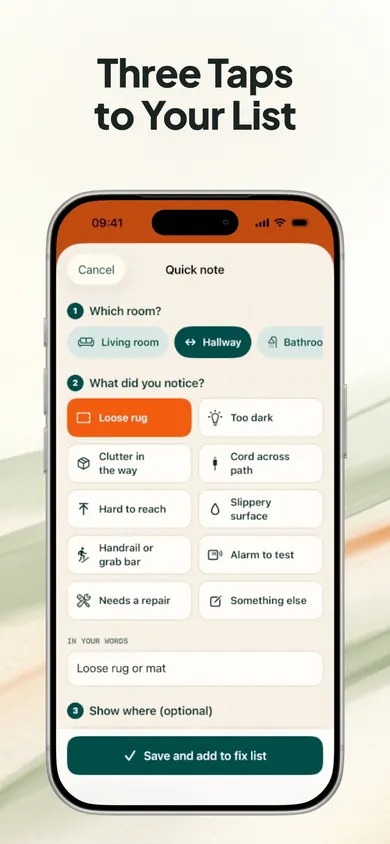
Choose the room, tap what you noticed, then pick This week, This month or Someday. RoomMend suggests the fix. A photo with a marker is optional.
Loose rugToo darkCord across pathHard to reachAlarm to test - 3
Tick it, then look again
Mark a fix done and RoomMend plans a reminder to check it again in 30 days, so nothing quietly slips back.
The home screen always shows one next step: a fix that’s due, a room to walk through, or something to look at again.
Dept. 03 · Compared
Paper checklist, notes app or a home repair to-do list app?
A printed checklist is a fine start. Where it falls short is the part after the walk-through: who is fixing what, by when, and whether it stayed fixed.
| Printed checklist | Notes and photos | RoomMend | Pro home visit | |
|---|---|---|---|---|
| Room-by-room questions | Yes | No | Yes, with sources | Yes |
| Marks the exact spot | No | Photo only | Numbered markers | Varies |
| Tracks who fixes what | No | By hand | Fix list with statuses | A report, not a tracker |
| Reminds you to recheck | No | No | 30 days after done | If you book a follow-up |
| Expert judgement | No | No | No | Yes |
Dept. 04 · The app
Aging in place, one room at a time
Home safety checklist for seniors: questions
What should be on a home safety checklist for seniors?
Most checklists walk room by room and look for the same things: loose rugs, cords across walkways, dim lighting, items that are hard to reach, smoke alarms that need testing, and support in the bathroom and on stairs. The CDC publishes one called Check for Safety. RoomMend’s quick-note issues include Loose rug, Too dark, Cord across path, Hard to reach and Alarm to test.
Is RoomMend free?
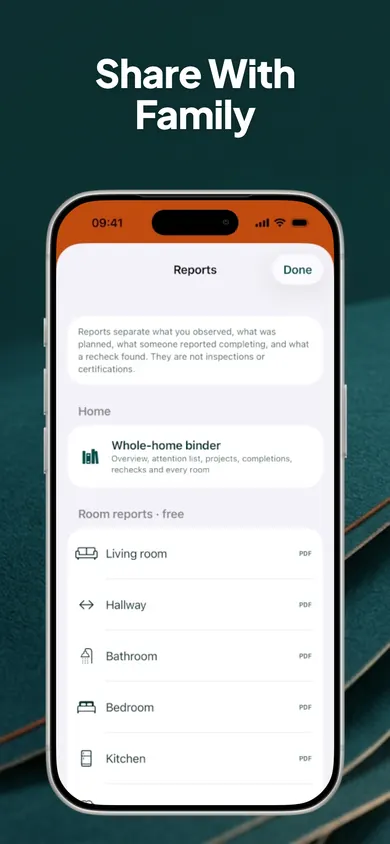
Yes. Every walkthrough, unlimited rooms and notes, the fix list, reminders, rechecks, side-by-side compare and room PDFs are free. RoomMend Plus is a one-time purchase that adds more homes, more photos per room, the whole-home binder PDF, the before/after slider, annotated image export and the full timeline. There are no subscriptions.
Does RoomMend find hazards in my photos?
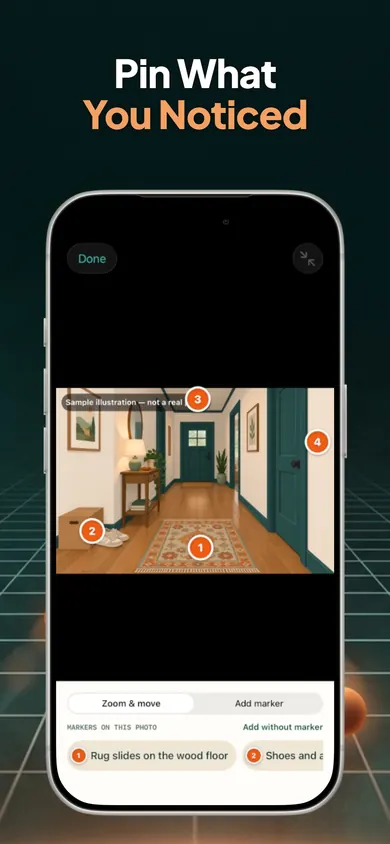
No. It does not analyse photos. You decide what you noticed, and the photo with numbered markers is a record of where it is.
Can I use it for my parent’s house?
Yes, it is made for your own home or a parent’s. You can send the fix list by Messages or email as plain text, or make a PDF for a room. Adding more than one home is part of RoomMend Plus.
Do I need an account or internet?
No. There is no account, no address or location, no ads and no analytics. Records and photos stay on your device, everything works offline, and you can add a Face ID lock.
Is RoomMend a home inspection or fall-risk assessment?
No. It organizes your own notes and plans. It is not a home inspection, safety certification, fall-risk assessment or medical tool. For electrical, gas, structural, fire-safety or mobility concerns, talk to a qualified professional.
Is it easy to use for older adults?
We designed it for every age: big buttons, plain words and one clear next step on the home screen. Photo markers are also listed as plain text, and they work with VoiceOver and large text.
Try it tonight
Walk one hallway before bed. It takes a few taps to get the first fix on the list.